
📋 Overview
Unlock the full potential of your Listeo-based directory website with the Listeo Listing User Assign plugin, a powerful tool designed to simplify user management and listing assignments. Whether you’re running a business directory, local listings, or a service marketplace, this plugin automates user creation and listing assignment, saving you time and boosting user engagement.
Available in both Free and Pro versions, it seamlessly integrates with WordPress and WooCommerce, offering robust features for bulk user creation, customizable email notifications, and advanced listing management. Ideal for site administrators aiming to scale their directory efficiently.
🚀 Key Features
🆓 Free Version
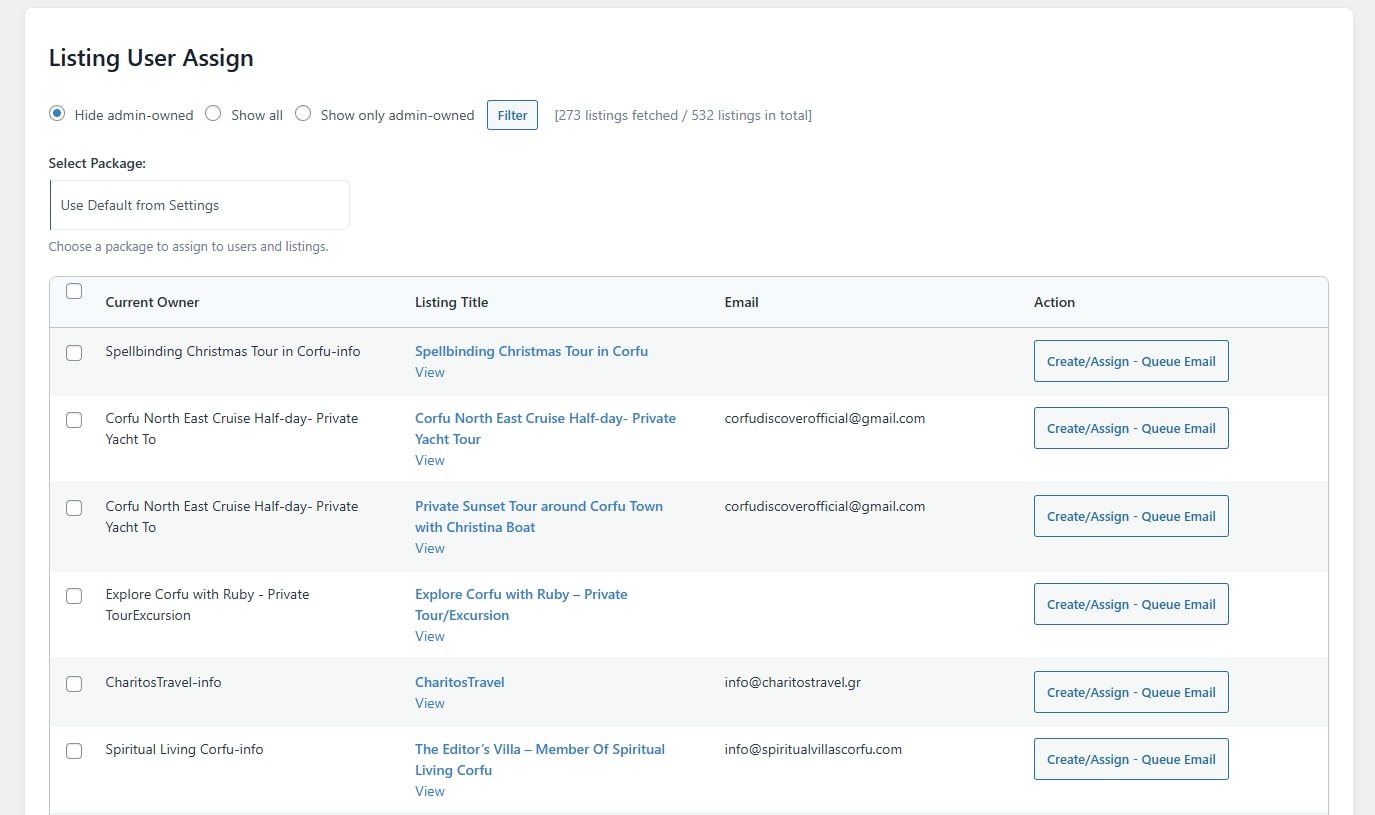
🔄 Bulk User Creation
Automatically generate user accounts for listings based on email addresses stored in the custom post type “listing”.
📑 Listing Assignment
Assign listings to existing or newly created users with a single click or in bulk.
📦 Package Assignment
Assign WooCommerce listing packages to users and their respective listings, supporting both standard and subscription-based packages.
🎛️ Admin Filtering
Filter listings to show all, hide admin-owned, or display only admin-owned listings for precise management.
⚙️ Customizable Settings
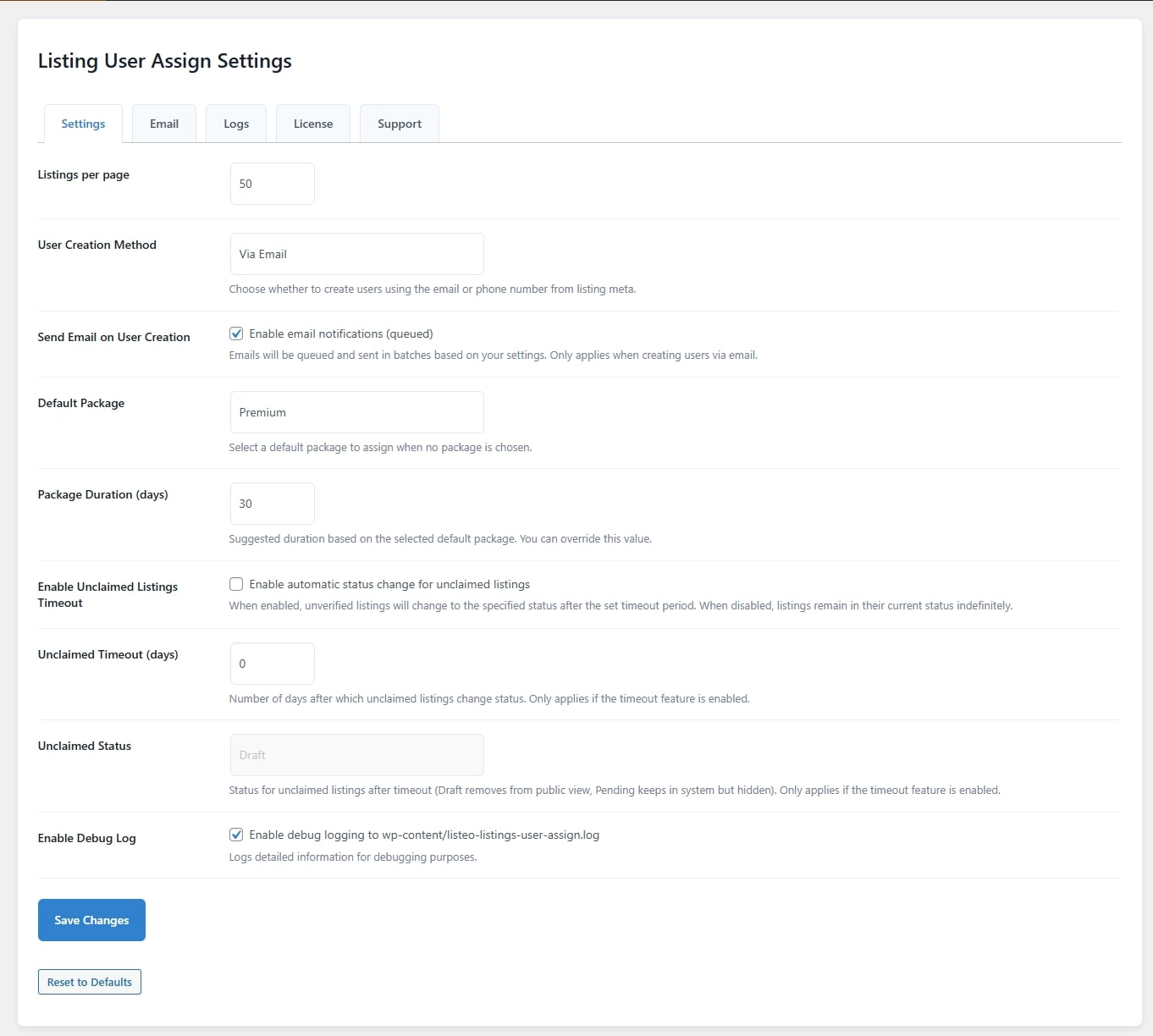
Configure listings per page, default package selection, and more through an intuitive settings interface.
🛠️ Debug Logging
Enable detailed debug logs for troubleshooting, securely stored in wp-content/listeo-listings-user-assign.log.
🌟 Pro Version
📧 Email Notifications
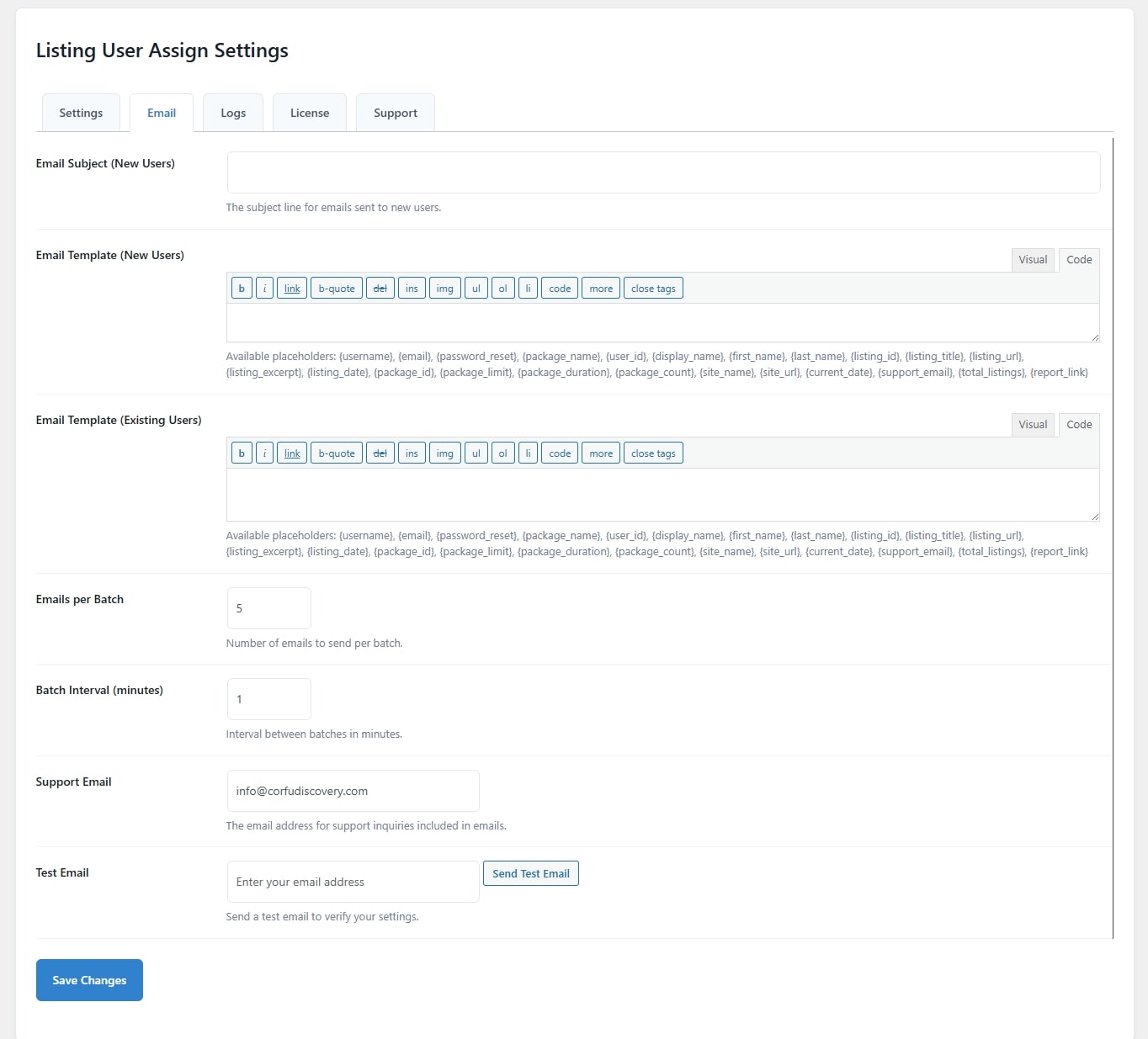
Send automated, queued email notifications to new and existing users with customizable templates. Includes placeholders like {username}, {listing_title}, {package_name}, and more for personalized communication.
📨 Email Queue Management
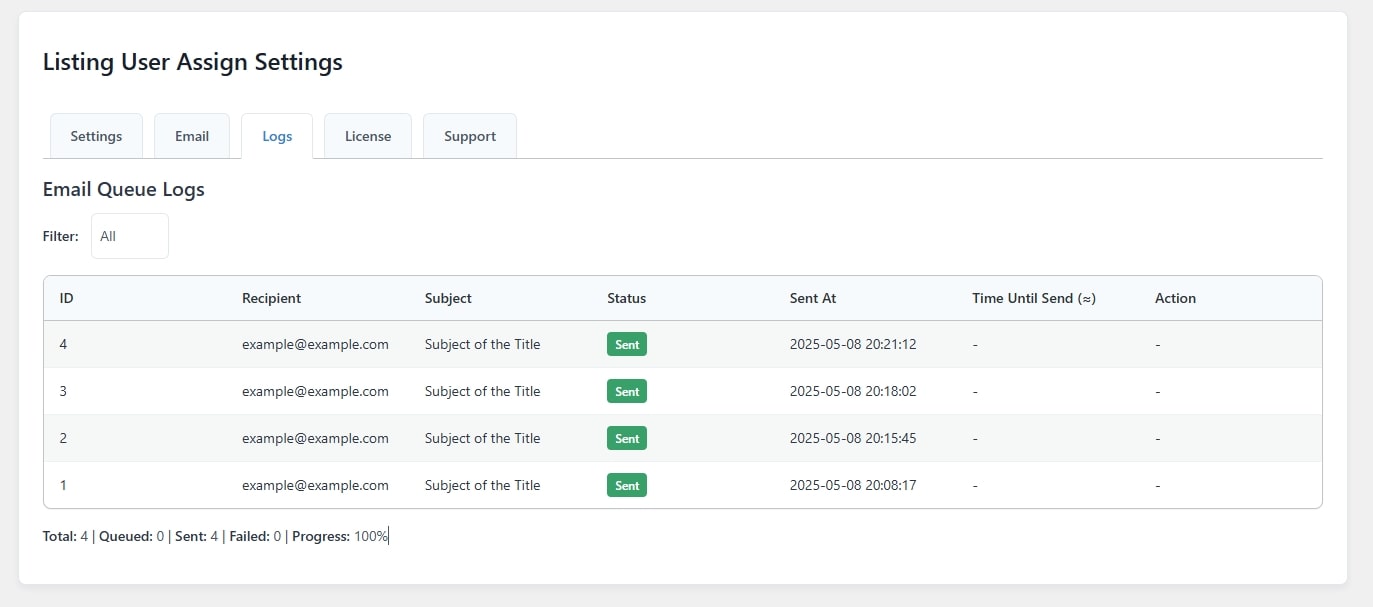
Process emails in batches with configurable batch sizes and intervals to optimize server performance. Monitor queued, sent, failed, or canceled emails via a dedicated logs tab.
✅ Test Email Feature
Verify email settings by sending test emails directly from the admin panel.
⏰ Unclaimed Listings Timeout
Automatically update the status of unverified listings (e.g., to “draft” or “pending”) after a set period, ensuring your directory stays current.
🔑 License Management
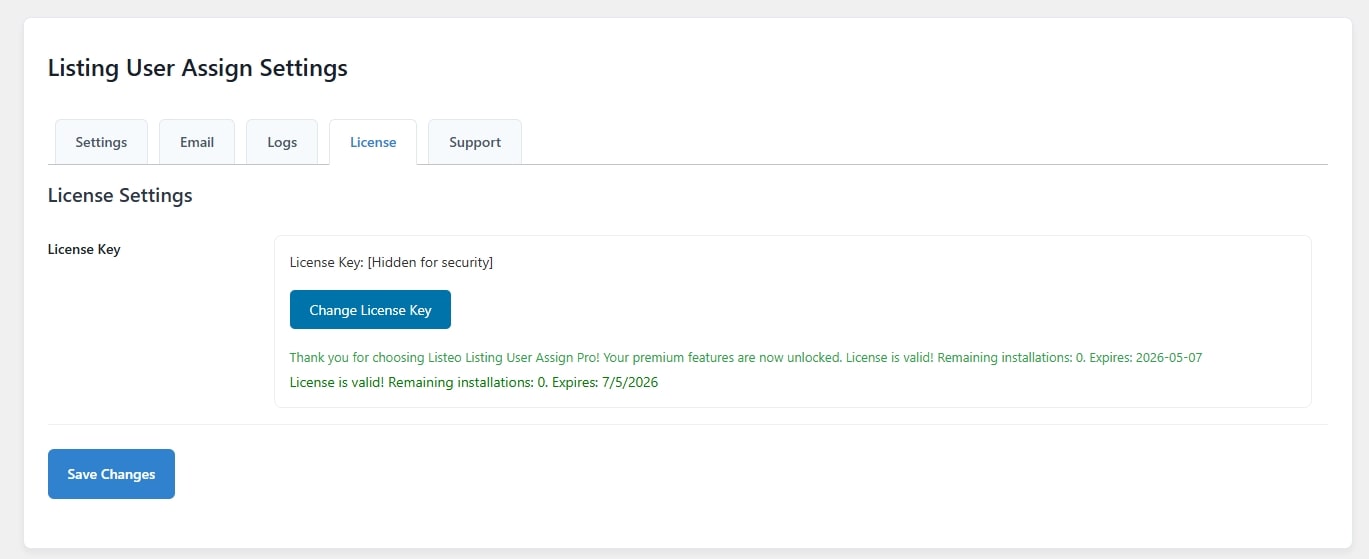
Securely validate and manage your Pro license key to unlock premium features, with support for remaining installations and expiration tracking.
🆘 Support Form
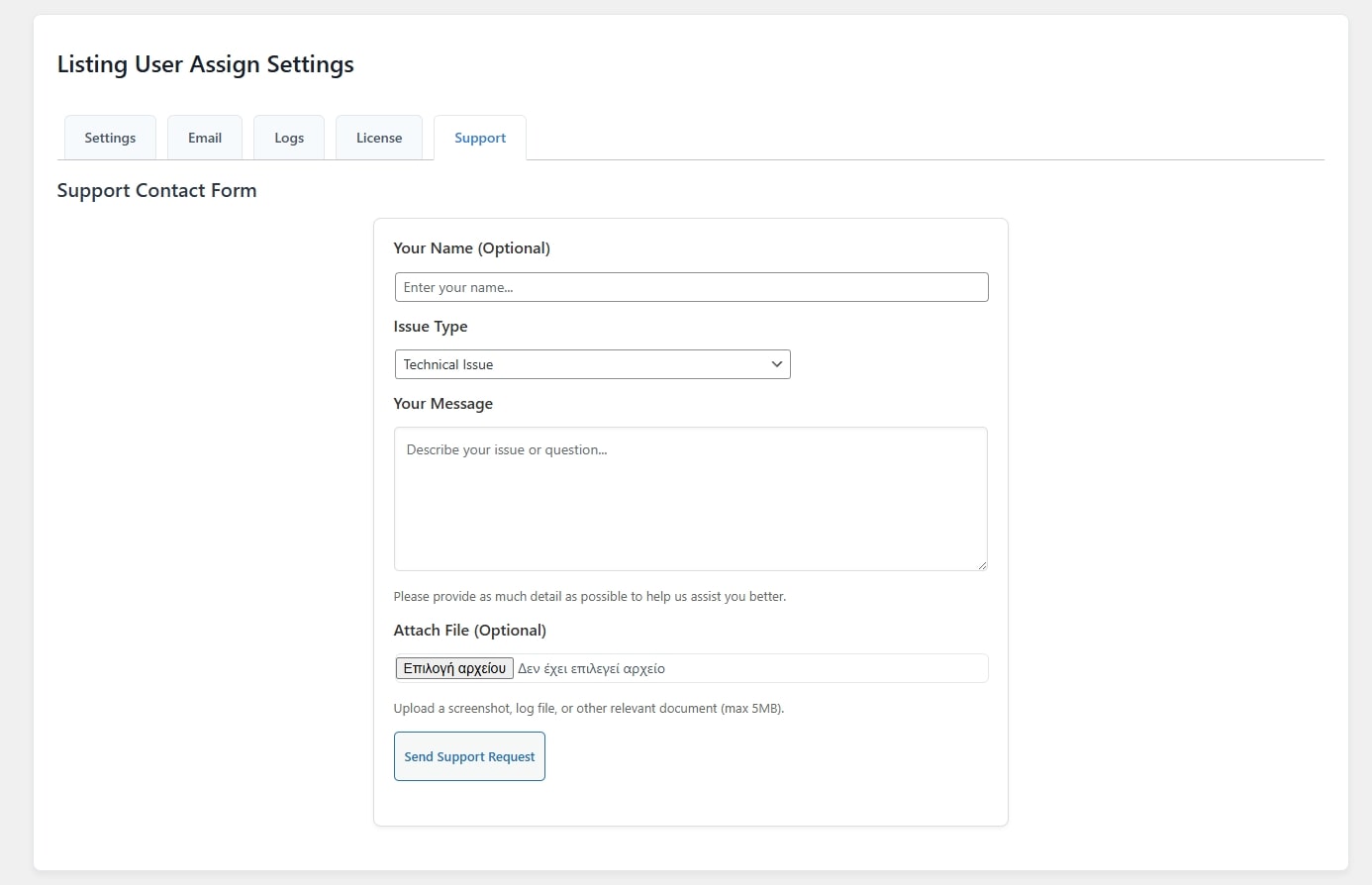
Access a dedicated support form to submit technical issues, feature requests, or billing inquiries, with support for file attachments (up to 5MB for JPG, PNG, PDF, or LOG files).
🎨 Enhanced Package Customization
Override default package durations and assign advanced package options like featured listings, bookings, reviews, galleries, pricing menus, social links, opening hours, videos, and coupons.
❓ Why Choose Listeo Listing User Assign?
⏱️ Time-Saving Automation
Eliminate manual user creation and listing assignments with powerful bulk processing capabilities.
🔗 Seamless WooCommerce Integration
Leverage WooCommerce product types (listing_package and listing_package_subscription) for flexible package assignments.
📈 Scalable for Large Directories
Manage thousands of listings with efficient email queuing and batch processing.
🖥️ User-Friendly Interface
Control everything from a clean, organized admin panel with tabs for settings, email, logs, license, and support.
🛡️ Pro Support
Receive priority assistance with a valid Pro license, ensuring quick resolution of any issues.
🛠️ Customizable and Extensible
Tailor email templates, package durations, and listing statuses to match your directory’s unique needs.
🛠️ How It Works
1. 📥 Install and Activate
Download the plugin from listeo-addons.dezigniacs.com and activate it on your WordPress site.
2. ⚙️ Configure Settings
Navigate to the “Listing User Assign” menu in your WordPress admin panel to set up listings per page, default packages, and email preferences (Pro).
3. 👤 Assign Users
Select listings individually or in bulk, choose a package, and create or assign users with optional email notifications (Pro).
4. 📊 Monitor and Manage
Use the logs tab to track email queue progress or the support tab to contact our team (Pro).
5. 🚀 Upgrade to Pro
Enter your license key to unlock premium features like email notifications, unclaimed listing management, and dedicated support.
💰 Pricing
🆓 Free Version
Available at no cost with core user creation and listing assignment features.
🌟 Pro Version
Unlock advanced features like email notifications, unclaimed listing management, and premium support.


Laen Santiago
Amazing plugin — extremely useful and constantly updated with new features and improvements!
Listeo Addons
Thank you very much for your Review!